Mac Equivalent Of Ipconfig

Have you ever wondered how your Mac talks to the internet? I mean, think about it, your computer is connected to a global network, and it's all thanks to some behind-the-scene...
Have you ever wondered how your Mac talks to the internet? I mean, think about it, your computer is connected to a global network, and it's all thanks to some behind-the-scenes magic. But, have you ever stopped to think about how your Mac gets its internet address?
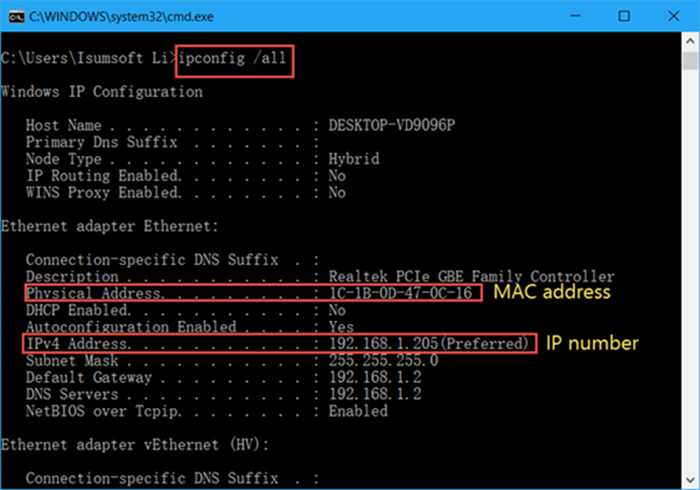
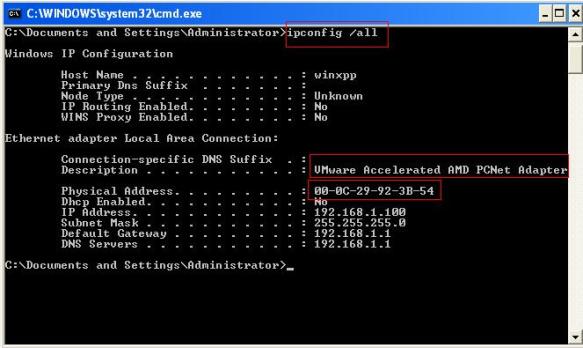
On Windows, there's this handy command called ipconfig that helps you figure out your computer's network settings. But, what about Macs? Is there a similar trick up its sleeve? As it turns out, yes, there is a Mac equivalent of ipconfig, and it's pretty cool.
Meet the Mac equivalent
Enter ifconfig, the Mac command that's similar to ipconfig on Windows. But, what does it actually do? In simple terms, ifconfig helps you configure and troubleshoot your network settings, just like ipconfig does on Windows.
Must Read
But, here's the thing, ifconfig is a bit more powerful than ipconfig. It can do more advanced tasks, like renaming network interfaces and configuring network settings for specific devices. So, if you're a networking nerd, you'll love ifconfig!
Now, you might be wondering, how do I actually use ifconfig on my Mac? Well, it's pretty simple. Just open the Terminal app, type in ifconfig, and press Enter. You'll see a bunch of network info pop up, including your IP address, subnet mask, and more.
 Ipconfig
But, what about a GUI?
Okay, so ifconfig is great and all, but what if you're not a fan of command-line interfaces? No worries, Mac has got you covered! You can also use the Network preferences pane to view and configure your network settings. It's like having a graphical user interface for ifconfig!
Just click on the Apple menu, select System Preferences, and then click on Network. From there, you can view your network settings, configure your Wi-Fi, and even troubleshoot any connection issues. It's like having a networking ninja at your fingertips!
So, there you have it, folks! The Mac equivalent of ipconfig is ifconfig, and it's a powerful tool that can help you troubleshoot and configure your network settings. Whether you're a networking newbie or a seasoned pro, ifconfig is definitely worth checking out. Happy networking!
